2025 - Think You’re Stealthy? How to Detect Attacks in AD
2025 - Think You’re Stealthy? How to Detect Attacks in AD.
Summary
### Overview In this talk, speakers Rajat, Satic, and Akash Shaman discuss how detection engineers can uncover subtle and covert attack techniques across Active Directory (AD) environments. The presentation emphasizes moving beyond simple, naive indicator matching by understanding threat actions from the ground up—analyzing loaded DLLs, system and forensic artifacts, API calls, and protocol mechanics.
### Key Topics The speakers focus on three major attack tools and lateral movement vectors commonly encountered in AD environments: 1. **SharpHound / BloodHound**: Mapping AD privilege escalation paths, how data collection functions under the hood, and how alternative implementations like `bloodhound.py` bypass common defenses. 2. **PsExec (Sysinternals)**: Lateral movement via SMB and named pipes, default service creation, and forensic detection using filesystem artifacts (USN Journal and Prefetch) rather than standard event logs alone. 3. **WinRM / Evil-WinRM**: Covert lateral movement and Pass-the-Hash (PtH) execution utilizing Windows Remote Management without creating new services or uploading binaries, along with detection strategies via PowerShell logging and process monitoring.
### Technical Details - **BloodHound & SharpHound**: SharpHound queries Domain Controllers via LDAP/DNS and domain endpoints via RPC/SMB. When executed on disk, it typically loads `netapi32.dll`, calls `srvcli.dll`, and invokes `NetSessionEnum`. While default runs leave artifacts such as zip files with JSON data (or `collectionmethod all` indicators), `bloodhound.py` avoids loading these specific DLLs by utilizing direct network calls (`NetrSessionEnum`) and encrypted SMBv3 traffic, blinding network inspection in tools like Wireshark. - **PsExec (MITRE ATT&CK S0029)**: PsExec authenticates via SMB, targets the `ADMIN$` share in `System32`, creates `psexecsvc.exe` (or a custom service via `-r`), and leverages named pipes. For PsExec v2.30 and above, specific forensic artifacts appear on disk: a unique key file named `psexec-<source_hostname>-<8_random_chars>.key` written to `C:\Windows`. This can be parsed from the NTFS USN Journal using Eric Zimmerman's `MFTECmd.exe` and correlated against Service Creation Event ID 7045 or viewed in Timeline Explorer. In Prefetch (`C:\Windows\Prefetch`), execution can be parsed using `PECmd.exe`. Additional telemetry can be gathered using Sysmon events (Event ID 1 for process creation, ID 11 for file creation, and ID 13 for registry modifications). - **WinRM & Evil-WinRM**: Operating over ports 5985 (HTTP) and 5986 (HTTPS), WinRM uses SOAP XML payloads against the `/wsman` endpoint. Evil-WinRM allows authentication via plaintext credentials, NTLM hashes, or certificates. Upon connection, it invokes `wsmprovhost.exe` (Windows PowerShell host process) and uses the PowerShell Remoting Protocol (PSRP). Because it uses existing system services without dropping binaries, detection relies on process monitoring (`wsmprovhost.exe`), logon events (4624), network logs, and deep PowerShell auditing (Event ID 4103 for module logging and Event ID 4104 for script block logging). A Sigma rule example correlates `wsmprovhost.exe` execution with PowerShell operational logging and relevant registry or cmdlet activity.
### Takeaways - **Look Beyond Basic Logs**: Standard Windows Event Logs can be bypassed, noisy, or disabled. Corroborating endpoint telemetry with deep filesystem forensic artifacts (such as the NTFS USN Journal and Prefetch files) provides reliable detection for lateral movement tools like PsExec. - **Avoid Fragile Indicators**: Trivial indicators such as Evil-WinRM's default user-agent or default file-naming conventions can easily be modified by adversaries using open-source tools. - **Harden the Environment**: Disable unused services, protocols, or listening ports (e.g., disable WinRM if unneeded, disable certificate authentication if not required), and ensure advanced auditing like PowerShell script block and module logging (4103/4104) is enabled.
Related talks

Black Hat·21 min
Analysts investigate attack surfaces and defenses concerning See Like a Bat: Using Echo-Analysis to Detect Man-in-the-Middle Attacks in LANs.
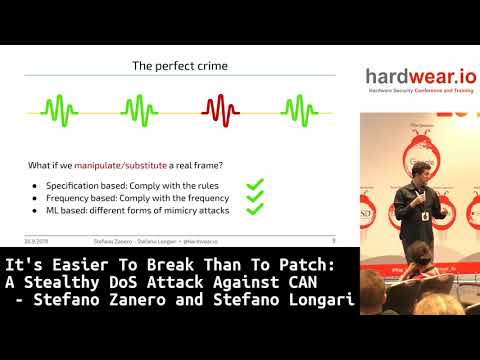
hardwear.io·41 min
Stefano Zanero · Stefano Longari
Analysts investigate attack surfaces and defenses concerning It's easier to break than to patch: a stealthy DoS attack on CAN | Stefano Zanero & Stefano Longari.

RSAC Cybersecurity·32 min
a Limited Budget
Industry experts analyze emerging threats surrounding How to Detect and Stop Attacks as They Occur with a Limited Budget.